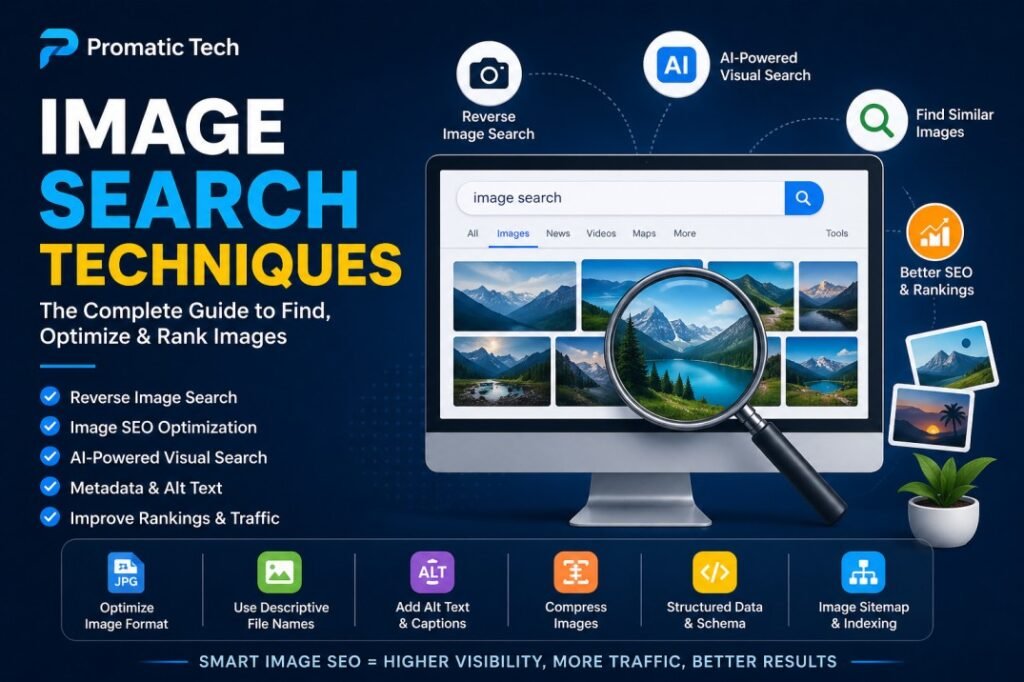
In the modern digital world, images are more than just decorations for websites and social media posts. They help communicate messages faster, improve engagement, and can even drive organic traffic through search engines. Understanding image search techniques is essential for bloggers, marketers, eCommerce businesses, and website owners who want to improve online visibility.
At Promatic Tech, we help businesses build strong online strategies, and image optimization is one of the most powerful methods to improve SEO and user experience. This complete guide explains everything you need to know about image search techniques in simple and easy language.
What Are Image Search Techniques?
Image search techniques are methods used to find, analyze, and optimize images on the internet. These techniques help users search for images and help website owners make their images visible in search engines like Google, Bing, and Pinterest.
For example, when someone searches on Google Images, search engines use image search techniques to display the most relevant images.
These techniques include:
- Reverse image search
- Keyword-based image search
- Image SEO optimization
- AI-powered visual search
- OCR (Optical Character Recognition)
- Metadata optimization
- Image sitemap creation
Using these methods can improve your website’s visibility and increase organic traffic.
Why Image Search Is Important
Many website owners focus only on text SEO and ignore image SEO. This is a big mistake because images can bring traffic from many sources.
Benefits of Image Search Optimization
Here are the main benefits:
1. Increase Organic Traffic
Optimized images can rank in Google Images, which can bring additional visitors to your site.
2. Improve User Experience
Images make content easier to understand and more attractive.
3. Better Engagement
Visual content increases clicks, shares, and time spent on the page.
4. Faster Website Performance
Compressed and optimized images improve page speed.
5. Improve Accessibility
Alt text helps visually impaired users understand images.
6. Higher Conversion Rates
Product images and infographics can encourage users to take action.
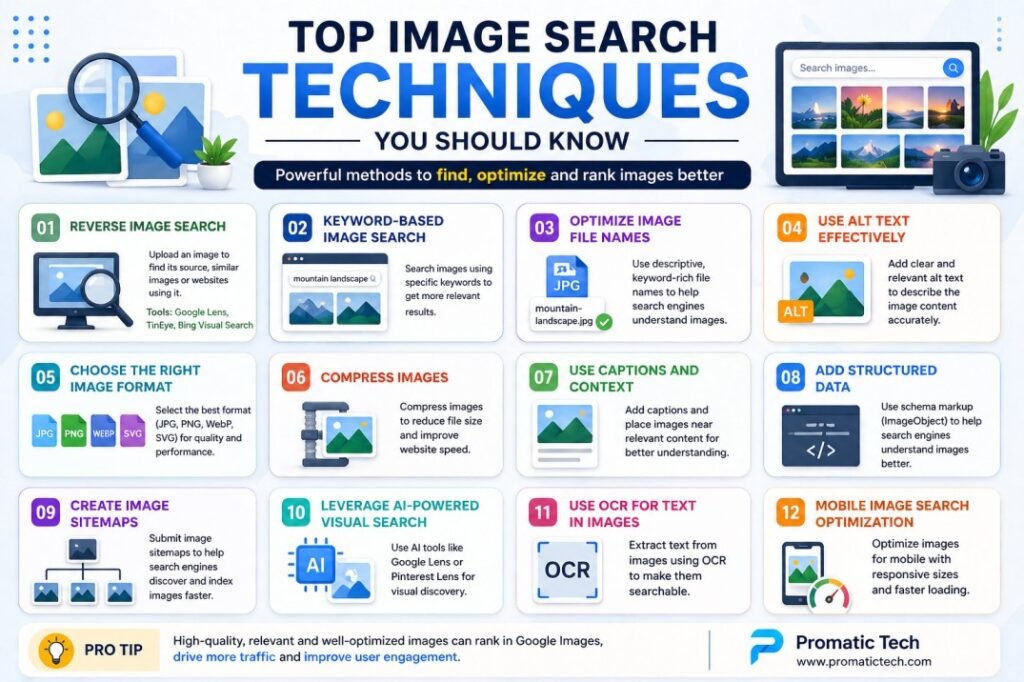
Top Image Search Techniques You Should Know
Below are the most important techniques explained in simple words.
1. Reverse Image Search
Reverse image search means searching the internet using an image instead of text.
You upload an image, and the tool finds:
- Similar images
- Original sources
- Websites using the image
- Higher-quality versions
Popular Reverse Image Search Tools
- Google Lens
- TinEye
- Bing Visual Search
- Yandex Images
Why It’s Useful
Reverse image search helps in:
- Checking stolen images
- Finding backlinks
- Identifying fake profiles
- Verifying image authenticity
Example:
If someone uses your company logo without permission, reverse image search can help you find them.
2. Keyword-Based Image Search
This is the most common image search method.
Users type keywords like:
- “modern office design”
- “digital marketing infographic”
- “SEO chart image”
Search engines show matching images based on:
- File names
- Alt text
- Captions
- Surrounding text
Tips for Better Results
Use:
- Specific keywords
- Long-tail keywords
- Relevant descriptions
Example:
Instead of searching “car,” search:
“red sports car wallpaper”
3. Optimize Image File Names
Search engines read file names to understand images.
Bad example:
IMG001.jpg
Good example:
image-search-techniques-guide.jpg
Best Practices
- Use descriptive names
- Include target keywords
- Use hyphens between words
- Keep names short and clear
4. Use Alt Text Correctly
Alt text (alternative text) describes an image.
Example:
<img src=”office-meeting.jpg” alt=”Virtual office meeting on laptop screen”>
Why Alt Text Matters
It helps:
- Search engines understand images
- Screen readers describe images
- Improve accessibility
- Improve SEO
Best Practices
- Describe naturally
- Add keywords only when relevant
- Avoid stuffing keywords
5. Choose the Right Image Format
Different formats work better for different needs.
JPEG/JPG
Best for:
- Photos
- Blog images
PNG
Best for:
- Transparent backgrounds
- High-quality graphics
WebP
Best for:
- Better speed
- Smaller file size
SVG
Best for:
- Logos
- Icons
AVIF
Best for:
- High quality with excellent compression
Choosing the correct format improves SEO and loading speed.
6. Compress Images
Large images slow down websites.
Slow websites:
- Rank lower
- Increase bounce rates
- Reduce user satisfaction
Tools for Compression
- TinyPNG
- ImageOptim
- ShortPixel
- Compressor.io
Compression keeps quality while reducing file size.
7. Use Captions and Surrounding Text
Search engines read nearby content.
Example:
If your image is about “SEO tools,” place it near text related to SEO tools.
Helpful elements:
- Captions
- Headings
- Paragraphs
This improves relevance.
8. Add Structured Data
Structured data helps search engines understand your images better.
Example schema:
{
“@context”: “https://schema.org”,
“@type”: “ImageObject”,
“contentUrl”: “https://example.com/image.jpg”,
“description”: “Image Search Techniques Guide”
}
This can improve visibility in rich results.
9. Create an Image Sitemap
An image sitemap tells search engines where your images are.
Benefits:
- Faster indexing
- Better discovery
- More visibility
Useful for:
- Large websites
- eCommerce stores
- Galleries
10. AI-Powered Visual Search
AI tools analyze images and identify:
- Objects
- Text
- Faces
- Colors
- Products
Examples:
- Google Lens
- Pinterest Lens
- Amazon StyleSnap
This is very useful in eCommerce.
11. OCR (Optical Character Recognition)
OCR reads text inside images.
Useful for:
- Infographics
- Screenshots
- Scanned documents
Example:
Google can understand text written in an infographic image.
12. Mobile Image Search Optimization
Many users search from mobile devices.
To optimize for mobile:
- Use responsive images
- Use lazy loading
- Compress images
- Use correct dimensions
Advanced Image Search Techniques
Here are some advanced methods professionals use.
Metadata Optimization
Metadata includes:
- Author
- Copyright
- Camera info
- Geolocation
- License
This helps with attribution and trust.
Visual Similarity Search
Search engines compare shapes, patterns, and colors.
Useful for:
- Fashion stores
- Home décor websites
- Art and design inspiration
Geolocation-Based Image Search
Images with location tags may appear in local searches.
Example:
“restaurants in London”
Common Mistakes to Avoid
Avoid these mistakes:
1. Generic File Names
Bad:
image1.jpg
2. Missing Alt Text
Search engines can’t understand images well.
3. Large File Sizes
Slow loading speed hurts rankings.
4. Keyword Stuffing
Looks spammy.
5. Irrelevant Images
Can confuse users and search engines.
6. No Mobile Optimization
Most searches come from mobile.
Best Tools for Image Search and SEO
Here are useful tools:
| Tool | Use |
| Google Lens | Reverse image search |
| TinEye | Find duplicates |
| Canva | Design images |
| TinyPNG | Compress images |
| Photoshop | Edit images |
| Screaming Frog | SEO audit |
| Ahrefs | Analyze image traffic |
Easy Important Tips for Beginners
If you are just starting, remember these easy tips:
✅ Use clear file names
✅ Add alt text
✅ Compress images
✅ Use WebP format
✅ Add images near related content
✅ Create image sitemaps
✅ Use high-quality images
✅ Make images mobile-friendly
Final Thoughts
Understanding and applying the right image search techniques can help you increase website traffic, improve rankings, and create a better user experience.
Whether you are a blogger, marketer, or business owner, image SEO should be a key part of your strategy.
At Promatic Tech, we recommend combining traditional SEO with image optimization for the best results.
Start using these techniques today and unlock the full power of visual search for your website.