
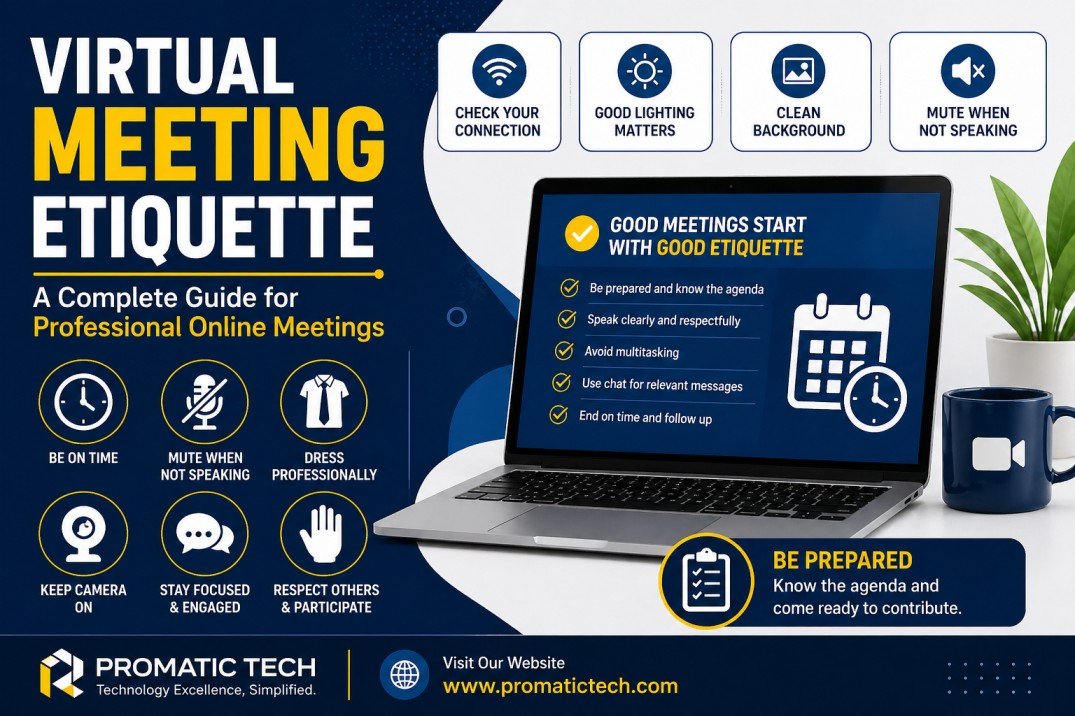
In today’s digital workplace, virtual meetings have become a normal part of communication. Whether you are working remotely, attending online classes, or meeting with clients, understanding virtual meeting etiquette is essential. Good online meeting behavior helps create a professional impression, improves communication, and saves time.
At Promatic Tech, we believe mastering virtual meeting etiquette can boost productivity and strengthen workplace relationships.
What Is Virtual Meeting Etiquette?
Virtual meeting etiquette refers to the professional behavior and best practices people should follow during online meetings. It includes how you prepare, communicate, dress, and interact on video conferencing platforms like Zoom, Microsoft Teams, and Google Meet.
Following proper etiquette ensures meetings are efficient, respectful, and productive.
Why Virtual Meeting Etiquette Matters
Practicing proper online meeting behavior offers many benefits:
- Builds professionalism and credibility
- Reduces distractions and interruptions
- Improves communication among participants
- Saves valuable time
- Creates a positive impression on clients and coworkers
- Encourages collaboration and engagement
Top Virtual Meeting Etiquette Tips
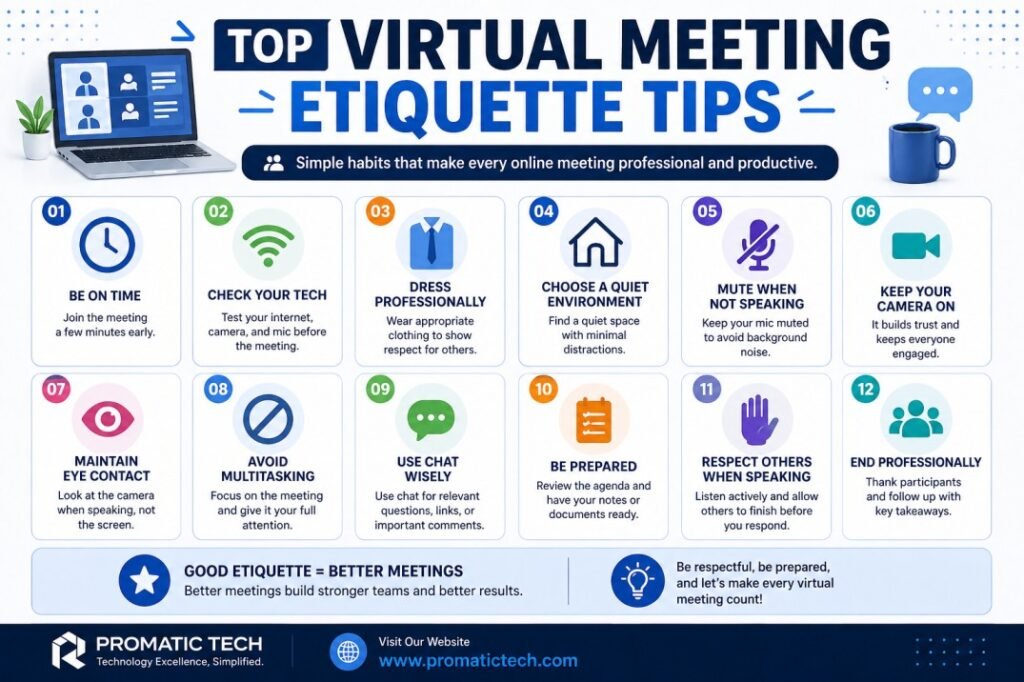
1. Join the Meeting on Time
Punctuality is important in virtual meetings. Joining late can disrupt the flow of discussion. Try to log in 5 minutes early to test your microphone, camera, and internet connection.
2. Test Your Technology Beforehand
Before the meeting starts, check:
- Internet connection
- Webcam
- Microphone and speakers
- Meeting link and password
Technical issues can waste everyone’s time.
3. Dress Professionally
Even if you are working from home, wear clean and appropriate clothing. Dressing professionally shows respect for the meeting and other participants.
4. Choose a Quiet Environment
Find a calm and quiet place with minimal background noise. Inform family members or coworkers that you are in a meeting.
5. Mute Your Microphone When Not Speaking
Background sounds like typing, traffic, or conversations can be distracting. Keep your microphone muted until it’s your turn to speak.
6. Keep Your Camera On When Appropriate
Turning on your camera helps build trust and improves engagement. It shows that you are attentive and involved.
7. Maintain Eye Contact
Look into the camera when speaking instead of looking at your screen. This creates a better connection with participants.
8. Avoid Multitasking
Do not check emails, browse social media, or work on other tasks during the meeting. Stay focused and actively participate.
9. Use Professional Language
Speak clearly and respectfully. Avoid slang, interrupting others, or using inappropriate language.
10. Use the Chat Feature Wisely
Use chat for questions, links, or relevant comments. Avoid side conversations that can distract participants.
11. Be Prepared
Review the meeting agenda and have any necessary documents ready. Preparation helps meetings run smoothly.
12. Respect Others When Speaking
Allow others to finish before responding. Use the “raise hand” feature if available.
Common Virtual Meeting Mistakes to Avoid
In professional online meetings, even small mistakes can create a negative impression and disrupt communication. Understanding these common virtual meeting mistakes can help you appear more professional and keep meetings productive. At Promatic Tech, we encourage employees and clients to follow best practices for successful online collaboration.
1. Joining Late
Arriving late to a virtual meeting can interrupt the conversation and make you seem unprofessional or unprepared. It can also cause delays if the meeting host has to pause to welcome you or repeat important information.
How to avoid it:
- Set reminders 10–15 minutes before the meeting.
- Join 5 minutes early to test your microphone, speakers, and internet connection.
- Keep meeting links saved and easily accessible.
Being punctual shows respect for everyone’s time.
2. Keeping the Microphone Unmuted
Leaving your microphone on when you’re not speaking can create distractions from background noises like typing, barking dogs, traffic, or conversations.
These noises can make it hard for others to hear the speaker and reduce meeting quality.
How to avoid it:
- Turn off your microphone whenever you’re not speaking.
- Use headphones with a built-in microphone for clearer sound.
- Check if your meeting platform has noise suppression features, such as on Zoom or Microsoft Teams.
3. Interrupting Others
Talking over someone can create confusion and may come across as disrespectful. In virtual meetings, delays in internet connections can make interruptions happen more often.
How to avoid it:
- Allow the speaker to complete their point before you respond.
- Use the “Raise Hand” feature if available.
- Pause for a second before speaking to avoid talking over others.
Respectful communication improves collaboration.
4. Having a Messy or Distracting Background
A cluttered room, movement behind you, or inappropriate items in view can distract participants and look unprofessional.
Your background is part of your presentation.
How to avoid it:
- Sit in front of a clean, simple background.
- Use virtual backgrounds or blur effects when available in tools like Google Meet.
- Make sure there are no distracting objects or people moving behind you.
A clean background keeps attention on you.
5. Not Paying Attention
Checking your phone, browsing websites, or doing other work during a meeting can cause you to miss important information.
Others may notice when you are distracted, especially if your camera is on.
How to avoid it:
- Close unrelated tabs and apps.
- Keep your phone silent or away.
- Take notes to stay engaged.
Active participation shows professionalism.
6. Poor Lighting or Camera Angle
Bad lighting can make it difficult for others to see your face, and awkward camera angles can look unprofessional.
For example, if light is behind you, your face may appear dark. A camera pointing up from below can be unflattering.
How to avoid it:
- Face a window or use a desk lamp in front of you.
- Position the camera at eye level.
- Center your face in the frame.
Good video quality improves communication and engagement.
7. Forgetting to Prepare
Joining a meeting without reviewing the agenda or necessary documents can make you seem unorganized and waste time.
Preparation helps meetings run smoothly and ensures better decision-making.
How to avoid it:
- Review the meeting agenda beforehand.
- Prepare questions or updates you need to share.
- Keep files, reports, or notes ready before the meeting starts.
Being prepared helps you contribute effectively.
Best Practices for Hosts
If you are hosting the meeting, follow these extra tips:
- Send the agenda in advance
- Start and end on time
- Introduce participants
- Keep discussions on track
- Encourage participation
- Record the meeting if necessary
- Share meeting notes afterward
Virtual Meeting Etiquette for Remote Teams
Remote teams depend heavily on online communication. Establishing clear rules for virtual meetings helps improve teamwork and avoid misunderstandings.
At Promatic Tech, we recommend creating standard meeting guidelines for all employees.
Conclusion
Understanding virtual meeting etiquette is key to having productive and professional online interactions. By being punctual, prepared, respectful, and attentive, you can improve communication and make a positive impression in every virtual meeting.
As remote work continues to grow, companies like Promatic Tech emphasize the importance of professional online meeting habits for success.
FAQs About Virtual Meeting Etiquette
1. What is virtual meeting etiquette?
Virtual meeting etiquette refers to the professional rules and behaviors people should follow during online meetings, such as being punctual, muting microphones when not speaking, and staying attentive.
2. Why is virtual meeting etiquette important?
It helps meetings run smoothly, reduces distractions, improves communication, and creates a professional impression among team members and clients.
3. Should I keep my camera on during a virtual meeting?
Yes, keeping your camera on is often recommended because it improves engagement and shows that you are actively participating, unless the host says otherwise.
4. What should I wear in a virtual meeting?
Wear clean and professional clothing appropriate for the type of meeting, especially in business or client-facing meetings.
5. How can I reduce distractions during online meetings?
Choose a quiet environment, mute your microphone when not speaking, silence phone notifications, and avoid multitasking.
6. What are the biggest mistakes to avoid in virtual meetings?
Common mistakes include joining late, interrupting others, leaving your microphone unmuted, and not paying attention.
7. Which platforms are commonly used for virtual meetings?
Popular platforms include Zoom, Microsoft Teams, and Google Meet.
8. How can hosts improve virtual meetings?
Hosts can improve meetings by sending agendas in advance, starting on time, encouraging participation, and sharing notes afterward.
9. Is it okay to use the chat feature during meetings?
Yes, the chat feature can be used for relevant questions, comments, or sharing links, but avoid unrelated side conversations.
10. How can companies improve virtual meeting etiquette?
Companies like Promatic Tech can create clear meeting guidelines and train employees on professional online communication.

